AI Resume Checker
Compare resume revisions deliberately
Keep a version before making a major change, then compare the revised wording against it.
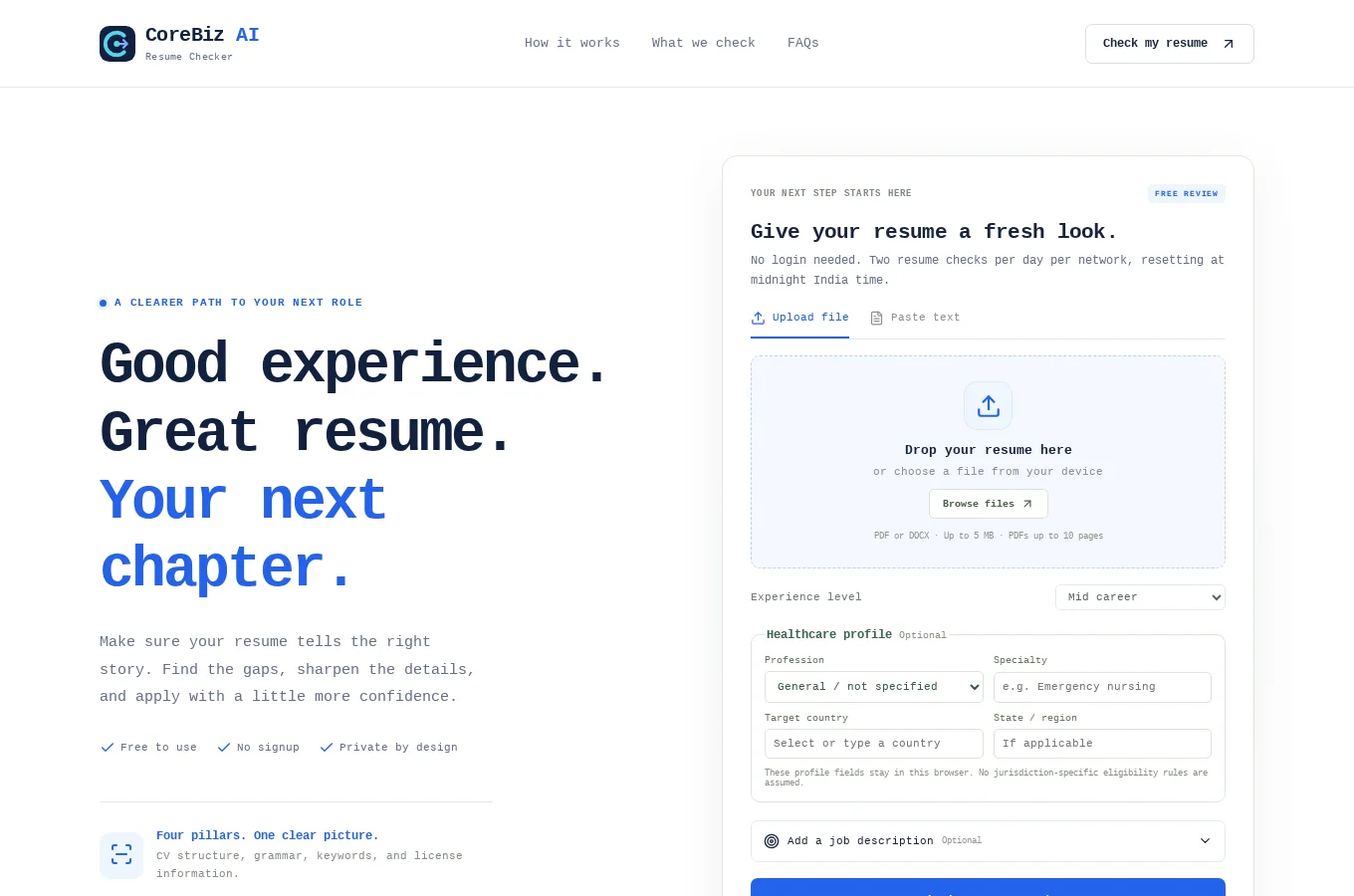
This guide uses AI Resume Checker as its starting point. It combines the documented project capabilities with practical suggestions for planning and reviewing your own work. The suggestions below are guidance, not a claim that the application automates every step.
Start with a concrete task
Keep a version before making a major change, then compare the revised wording against it. Focus each revision on one issue, such as clarity or relevance.
Give each revision a clear purpose
A resume version should test an improvement you can describe. One revision might clarify project responsibilities, while another reorganizes information for a particular role. If every section changes at once, it becomes harder to understand which edits helped.
Name the version in a way that connects it to the intended role or review question. A collection of files labeled new and final provides little context later. Consistent naming helps you avoid sending a draft that was created for a different application.
Keep the factual basis stable across comparisons. Dates, qualifications and actual responsibilities should not change merely to make a version appear stronger. The comparison concerns presentation and relevance, not competing versions of the candidate's history.
Compare meaning as well as appearance
Read the revised wording for accuracy before deciding whether it sounds more professional. A shorter sentence can lose an important qualification, while a stronger verb can imply ownership the candidate did not have. The best version preserves the truth and makes it easier to understand.
Look for changes in emphasis. A resume tailored to one role may foreground different projects from a version intended for another. That can be appropriate when the underlying information remains accurate and the choice reflects the audience's actual needs.
Review the document as a whole. Improving one bullet can make another feel repetitive, and shortening a section can create an unexplained gap in context. A version comparison should support a coherent final document rather than a collection of individually polished sentences.
Use a fictional comparison exercise
Imagine a student has a project description that focuses on the team's final product. In a revised version, the student identifies the interface component they implemented and the testing they performed. The second version is more useful because the individual contribution is clearer.
A third version adds an unsupported claim that the project improved customer retention. That sentence may sound impressive, but it is not a valid improvement if the project was fictional and no such result was measured. The candidate should reject it regardless of how fluent it appears.
This example shows why comparison needs a factual standard as well as an editorial preference. The chosen version should be the one the candidate can explain and support, not simply the one with the strongest-sounding language.
Understand the application's storage boundary
The project supports comparing up to five versions held in browser memory and exporting reports. Browser memory is not the same as a permanent document archive. Save the source files and reports you need through the appropriate available workflow.
Do not assume that closing a tab or ending a session preserves every version for future use. Organize your retained copies deliberately and connect each report to the document it reviewed. This reduces confusion when returning to an application later.
Keep private resume material in an appropriate location. A shared folder used for general project collaboration may not be the right place for personal career documents. The comparison feature helps review content; it does not determine your broader storage and sharing practices.
Choose a final version with a short checklist
Confirm the target role, factual accuracy, contact details and the clarity of your most relevant experience. Then inspect the actual file you intend to send, including its filename and formatting. The reviewed text and the exported document should represent the same version.
Keep a brief note of why you chose it. That explanation can help when preparing a future application or responding to interview questions. It also prevents the next revision from reopening decisions without remembering the original purpose.
Treat versioning as a learning process rather than a search for a universally perfect resume. Different roles may justify different emphasis, but every version should remain an honest account of the same person. The tool is most useful when it makes those editorial decisions visible and deliberate.
What the project provides
CuraProfile is a resume review workspace with browser-side document parsing, transparent checks, evidence-based findings, and version comparison. Optional DeepSeek-assisted review is supported but is not enabled on this deployment until the provider is configured.
Job seekers and professionals reviewing their CV structure, wording, and evidence before applying.
Review the result before moving on
Up to five versions are held in browser memory. Export a report you need to retain and do not assume that closing the browser creates a permanent archive.
Access and setup
No login is required. Two resume checks per network (IP address) are available daily, resetting at midnight India time. PDF/DOCX parsing, rule checks, and version comparison are available. AI review requires separate provider configuration and explicit consent before resume text is sent to the provider.
Common questions
How many versions should I keep for one application?
Keep enough to understand the important changes without creating a confusing archive of nearly identical files. A useful set might include the starting document, a focused revision and the final approved version, but the right number depends on the work rather than a universal rule.
The application supports up to five versions in browser memory; that limit describes the feature, not a requirement to fill every slot. Give each retained version a purpose and a clear name. If two versions differ only through an accidental formatting change that you rejected, they may not both need to remain in your active working set.
Follow your own appropriate storage practice for the copies you retain outside the browser. Connect reports and notes to the correct source version so a favorable finding from one draft is not assumed to apply to another. When preparing applications for different roles, keep the role context visible and avoid mixing versions solely because their dates are close.
Before submission, check the actual attachment or uploaded file rather than relying on a filename you remember. The final selection should be deliberate. Versioning is valuable when it makes decisions traceable and helps you compare meaning; it becomes counterproductive when it makes you uncertain which document you approved.
Periodically tidy the active set while preserving whatever records you need, and do not treat a temporary browser comparison as a substitute for knowing where your final resume is stored or which employer it was prepared for.
Where can I find the current project details?
Read the AI Resume Checker project page for its documented features, access notes and live application link.
Does this guide describe an automated workflow?
Only the capabilities explicitly described in the project section are product features. Planning and review suggestions may need to be performed manually.
Your next step
To explore a similar experience for your own audience, review our related service. Start the discussion with a concrete user task and the information needed to complete it.